


IMDb: Movies & TV Shows
4.366.74K Reviews
App Specs
- Version
- 9.3.4.109340300
- Updated On
- License
- Free
- Downloads
- 100,000,000+
- Developer
- IMDb
- Categories
- Entertainment
- Platform
- Android, iOS
Screenshots
 Analysis by AppCompare
When several people in a household are trying to choose something to watch, the hardest part is often remembering what everyone has already seen and finding a title that suits the moment. I use IMDb: Movies & TV Shows as a reference point for that conversation: it helps me look up films, series, cast members, and viewing ideas without turning the choice into a long round of guesses. It is an entertainment app from IMDb, and its strength is the breadth of information gathered around screen stories rather than replacing the service where you actually watch them.
A useful reference when the remote is being shared
Picture an ordinary evening: one person wants a light comedy, someone else is hoping for a thriller, and nobody can remember the name of the actor in a film they saw last week. I can search for that performer, open a title’s page, and use the cast and related details to move the conversation forward. That lookup-and-discuss workflow is where the app feels most useful in a shared household. It gives people something concrete to compare, instead of relying on a half-remembered trailer or a streaming service’s front page.
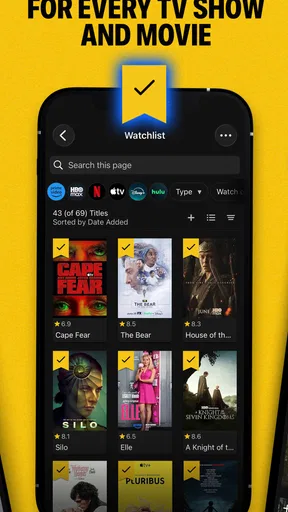
It is also handy when a recommendation comes from a friend or a family member. I can save a title to a watchlist rather than interrupting what I am doing to watch it immediately. Later, the list gives me a place to revisit those ideas. That small habit is more valuable than it sounds: recommendations arrive in messages, conversations, and passing comments, and a dedicated list can stop them disappearing into the day.
Set expectations before everyone uses the same screen
IMDb is free, and the current version is 9.3.1.109310300. It is available for Android and iOS, with Android 11 as the minimum operating system requirement. I would check that requirement before planning to use it on an older Android device; on a household tablet that has been around for years, compatibility can matter more than the app’s features. The app is rated Teen, a useful point for adults deciding whether it is appropriate to have readily available on a shared device.
Personalization works best when people understand whose account they are using. With an account, ratings, reviews, and a watchlist can reflect one person’s tastes, so a device passed among relatives may gradually collect preferences that do not belong to a single viewer. I would agree on a simple boundary: either keep one shared list for household suggestions, or let each person use their own account when their ratings and saved titles are meant to stay personal. That is not a special family-control feature; it is just a practical way to keep recommendations and lists meaningful.
Coordinate plans without confusing research for streaming
The app helps with choosing and learning about entertainment, but I treat it as a companion to watching rather than the place to assume a film or episode will play. If a title looks promising, I use IMDb to check its details and keep track of the idea, then check the household’s viewing services separately. This distinction saves time: a detailed title page can answer “what is this?” without settling “where can we watch it?”
For a group decision, I find it useful to agree on a short list before browsing individual pages too deeply. One person can suggest a couple of titles, another can check cast or genre details, and the group can settle on what fits the mood. The app’s large catalog makes that exploration easy, but it can also send a casual search into a long trail of related pages. A small shortlist keeps discovery fun without letting the evening disappear into research.
Worth Reading Before You Choose

Baby Panda World Brings Quick Play to Modern Phones, but Its Game Library Feels Busy

ESPN’s Live Game View Makes Following Close Games Easier

QuizzLand Review: A Good Fit for Short Trivia Breaks, Not Every Player

Basketball Stars: Multiplayer Is Fast, but Can It Recover When Matches Go Wrong?

WEBTOON Turns Phone Updates Into a Better Reading Routine

Link to Windows Runs on Shared Habits, Not Social Feeds
Age context and a sensible level of trust
The Teen content rating is worth considering in a family setting, especially because the app is built around a broad entertainment catalog and information about public figures and productions. I would not treat the rating as a substitute for an adult’s judgment about a particular title or a young person’s browsing. If a child is using a shared phone, it is sensible to stay involved in what they search for and discuss what they find, rather than assuming that a general guide will make every choice age-appropriate.
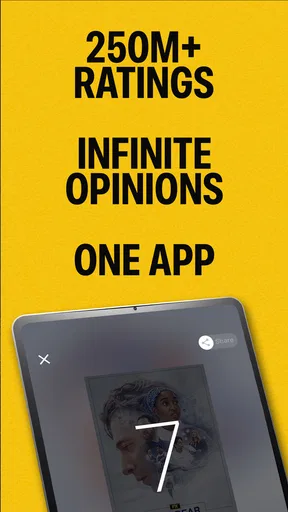
IMDb’s scale is one reason many people recognize it: it has an average rating of 4.4 from around 966,000 ratings, and it has been installed over 100 million times. Those figures suggest that it is a familiar reference for entertainment fans, but popularity is not the same thing as a personal recommendation. I still use my own judgment when deciding whether a title suits our household, and I would not treat a score or a crowd response as a guarantee that everyone will enjoy it.
Discovering the World of IMDb
The first time I opened the IMDb: Movies & TV Shows app, I felt like I had stumbled upon a treasure trove of entertainment. The app's interface is sleek and intuitive, making it super easy to navigate through its vast library. Whether you're looking for the latest blockbusters or classic films, IMDb has it all neatly organized.
What really caught my attention is the extensive database of information available at your fingertips. You can dive deep into the details of your favorite movies and shows, exploring cast lists, crew members, and even trivia. It’s like having a personal movie encyclopedia right on your phone!
Your Personalized Entertainment Guide
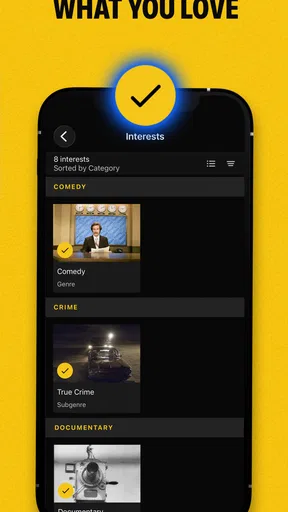
One of the coolest features of the app is the ability to personalize your experience. By creating an account, you can rate movies and shows, write reviews, and create your watchlist. This customization is perfect for keeping track of what you’ve seen and what you plan to watch next.
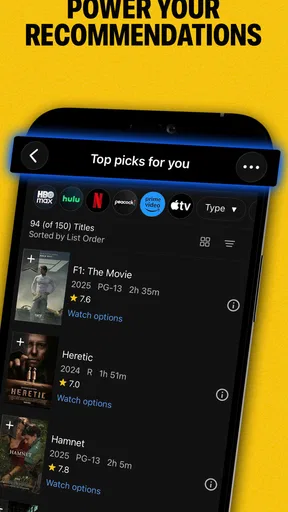
And let’s talk about the recommendations. Based on your viewing history and ratings, IMDb suggests movies and shows you might enjoy. It’s like having a friend who knows your taste in entertainment and always has the best suggestions!
For a household, I would use those personal tools with a little intention. Ratings are most useful when one person’s responses represent one person’s taste; a shared account can blur that signal. If several people do use the same account, a household watchlist can still work as a communal suggestion box, but I would avoid reading its recommendations as a precise profile of any one viewer. The trade-off is simple: one shared list is convenient, while separate accounts make personal ratings easier to interpret.
Staying Updated with Industry News
If you're a film buff like me, you'll appreciate the app's news section. It keeps you up to date with the latest happenings in Hollywood and beyond. From casting announcements to award season updates, you’ll always be in the loop.
Plus, the "Born Today" feature is a fun addition, giving you a glimpse into the birthdays of your favorite stars. Who knew that scrolling through celeb birthdays could be so addictive?
In practice, I see the news and celebrity browsing as a separate kind of use from planning a movie night. It is enjoyable when I have a spare few minutes or want context about a performer, but it can pull attention away from the original task of choosing something to watch. When time is short, I go straight to a title or performer search and leave the news feed for later. That is a useful distinction for anyone sharing the app with people who have very different interests.
Behind the Scenes and Beyond
For those who enjoy peeking behind the curtains, IMDb offers a plethora of behind-the-scenes content. From interviews with directors to the making-of documentaries, you can get a deeper understanding of the art of filmmaking.
And if you’re into trivia, the app offers tidbits of information that can turn you into the ultimate movie quiz master. Impress your friends with facts they never saw coming!
The strongest reason I would open these details is to follow a thread of curiosity. A supporting actor catches my attention, so I look up other work they have appeared in; a production credit leads me to the people behind a film; a trivia detail gives me a new angle on something I already know. This is more satisfying than simply scanning ratings, and it can make a rewatch or a post-film conversation richer. The flip side is that the extra context can become a rabbit hole, so I would keep the app closed during a film if the goal is to watch together rather than pause for fact-checking.
User Experience and Accessibility
One aspect that stands out is the app's accessibility. It’s available on both Android and iOS, ensuring a seamless experience across platforms. The app runs smoothly and updates regularly, keeping the content fresh and relevant.
The design is user-friendly, and even if you're not tech-savvy, navigating through the app feels like a breeze. It’s clear that a lot of thought has gone into making this app accessible to all users.
Compared with the usual alternatives, IMDb is more useful as an information-rich catalog than as a pure discovery feed. A streaming service is often the quicker choice when I already know where I want to watch and just need to browse what is available there. A general web search can answer a one-off question, but IMDb is better when I want to continue from a title to its cast, crew, related credits, or trivia in one place. For someone who mainly wants a simple “pick something for tonight” button, that depth may feel like extra work rather than an advantage.
A practical trick is to search by the clue you actually remember instead of browsing broad lists: an actor, a character, a partial title, or a filmmaker can get you closer to the right page. Once there, I use the watchlist for titles that need a later availability check, rather than assuming that saving a title means it can be watched in the app. That keeps IMDb in its strongest role: organizing knowledge and intentions, not guaranteeing access to a particular film.
Final Thoughts
Overall, IMDb: Movies & TV Shows is a must-have app for movie enthusiasts. It combines a rich database, personalized recommendations, and up-to-date industry news into one convenient package. Whether you’re a casual viewer or a die-hard cinephile, this app is your gateway to an enriched entertainment experience.
So, if you haven’t already downloaded it, what are you waiting for? Dive into the world of IMDb and transform your movie-watching journey today!
Who will get the most from it at home?
I would recommend it to the person in a household who often gets asked, “Who was in that?” or who likes to keep a running list of films to revisit. It also suits friends or relatives who enjoy discussing credits, performances, and production details after a screening. If a household has mixed tastes, the app can help everyone explain why a title is on the shortlist, even though the final decision still comes down to availability and personal preference.
I would skip it, or at least not make it the main entertainment app, if the only goal is to play films, see a provider’s current catalog, or get a very quick choice with minimal browsing. It is also less useful when a shared account’s ratings no longer reflect one person’s taste, or when detailed browsing tends to distract the group from watching. IMDb works best when someone enjoys the information around movies and shows as much as the selection itself.
A household-friendly way to use it
My routine would be to save recommendations as they come up, then review that watchlist together when everyone is ready to choose. Before settling on a title, I would check its details and discuss whether its subject and tone suit the people watching; after that, I would verify where it can be viewed in the services we already use. This separates three questions that are easy to muddle: what the title is, whether the group wants it, and where it is available.
That approach also keeps expectations realistic. IMDb can make the research and coordination part easier, but it cannot settle household preferences by itself. Some evenings, the most useful result is simply a better-informed shortlist; other nights, a person who already knows what they want may be faster using a streaming app directly. I like having IMDb as a reference within reach, not as a requirement for every viewing decision.
My verdict for a shared household
IMDb is a strong fit when people in the same home trade recommendations, enjoy identifying cast members, or want a place to keep track of titles worth considering. Its combination of a broad catalog, personal lists, entertainment news, and background details makes it more than a quick ratings lookup. The app is free, and its long-standing presence in entertainment browsing is reflected in its release on June 29, 2010, but what matters day to day is whether that depth matches how your household chooses what to watch.
For me, the best arrangement is clear account boundaries, a shared shortlist only when it is genuinely useful, and a separate check for where a title can be watched. With those expectations, the app earns a place on a shared device without pretending to be a streaming service or a substitute for an adult’s judgment. It is a knowledgeable companion for making better-informed choices, especially for households where the conversation around a film is part of the fun.
Pros
- Comprehensive movie database.
- User-friendly interface.
- Personalized recommendations.
- Access to trailers and reviews.
- Industry news updates.
Cons
- Contains ads in free version.
- Limited offline features.
- Some features require login.
- Occasional app crashes.
- In-app purchase for Pro version.
FAQs for IMDb: Movies & TV Shows
What features does the IMDb app offer to users?
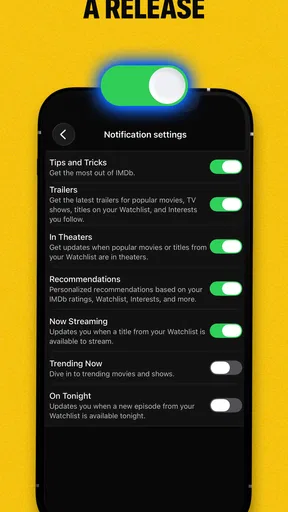
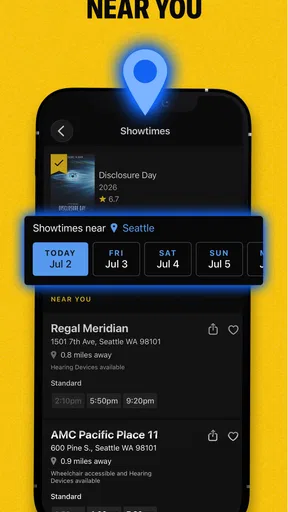
The IMDb app provides users with a comprehensive database of movies, TV shows, and celebrity information. It offers features such as trailers, user reviews, ratings, personalized watchlists, and notifications for upcoming releases. Additionally, users can explore detailed cast and crew information, trivia, and box office data.
Is the IMDb app free to use, and are there any in-app purchases?
Yes, the IMDb app is free to download and use on both Android and iOS devices. While the core features are free, there is an optional subscription called IMDbPro, which provides additional perks like industry insights, contact details for industry professionals, and more, available as an in-app purchase.
Can I watch movies or TV shows directly on the IMDb app?
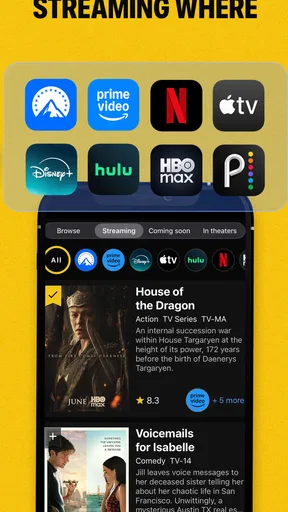
The IMDb app does not allow direct streaming of movies or TV shows. Instead, it provides detailed information, trailers, and links to platforms where the content can be streamed or purchased. Users can also discover where their favorite shows are available for viewing through integrated links to streaming services.
Is it possible to create and manage a watchlist on the IMDb app?
Yes, the IMDb app allows users to create and manage personalized watchlists. Users can add movies and TV shows they wish to watch, receive notifications about upcoming releases, and organize their watchlist by priority or genre, making it easier to keep track of their entertainment choices.
How reliable is the information provided on the IMDb app?
The IMDb app is widely regarded as a reliable source for movie and TV information. It is frequently updated with data from industry professionals and user contributions. However, as with any crowd-sourced platform, occasional inaccuracies may occur, so users are encouraged to cross-reference information when needed.


